

Table of Contents
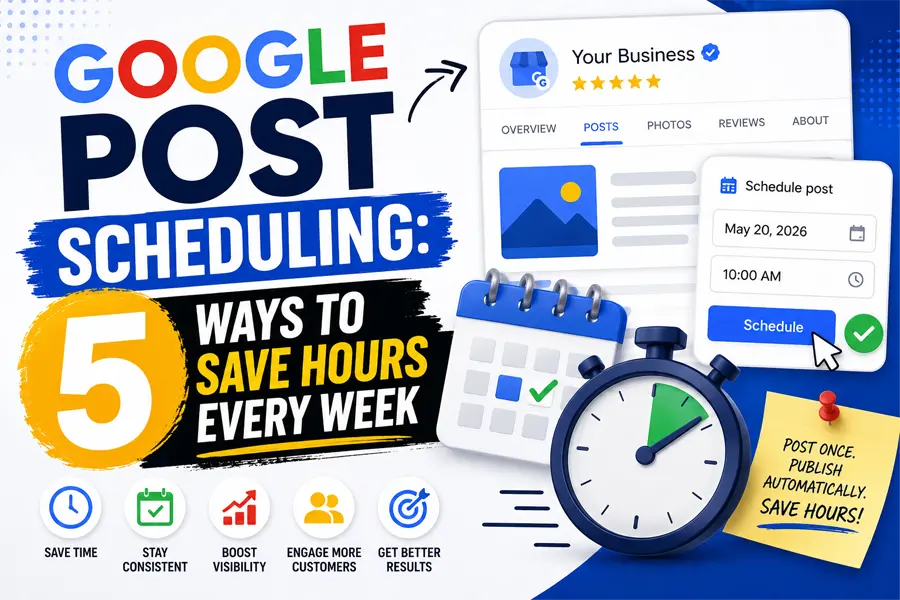
You can now write a month of Google Business Profile updates in one sitting and let Google publish them automatically — no more scrambling to post about a sale the morning it starts. Google quietly rolled out post scheduling and multi-location publishing for Google Posts, and it changes how much time you actually have to spend “on” your profile every week. If you’ve been skipping Google Posts because you never have five free minutes at the right moment, this update removes that excuse. Here’s what changed, why it matters for your bottom line, and exactly how to start using Google post scheduling this week.
What Google Post Scheduling Actually Does
Until recently, every Google Post had to be written and published in the same sitting. If you wanted a post live on Monday morning, someone had to sit down Monday morning and publish it. This new option removes that “publish right now or not at all” limitation entirely.
When you create a new Google Post inside your Business Profile dashboard, you’ll now see an option to schedule the post for a future date and time instead of publishing immediately. Set it once, and Google publishes it automatically when the clock hits that moment — even if you’re with a customer, asleep, or on vacation.
The second piece is multi-location publishing. If you manage more than one location, you can build a single post — a holiday hours notice, a seasonal promotion, a new-service announcement — and push it to some or all of your locations in one click, instead of logging into each profile separately.
Why Google Post Scheduling Matters for Your Bottom Line
Google Posts aren’t just a box to check. Profiles that post consistently see meaningfully more customer activity than profiles that go quiet for weeks at a time — industry benchmarks put the gap at roughly 24% more customer interactions on active profiles. Those interactions are the ones that pay the bills: website clicks, calls, and requests for directions.
The problem was never that business owners didn’t understand the value of posting. It’s that posting requires remembering to do it, in real time, every single week — and that’s exactly the kind of task that gets bumped by whatever’s on fire that day. This update fixes the actual bottleneck: it lets you do the thinking once a month instead of the doing every week.
- Consistency compounds. A profile with a steady stream of recent posts signals to Google, and to customers scanning your listing, that the business is active and paying attention.
- You stop missing moments. Holiday hours, storm closures, and flash sales can be queued up in advance instead of getting forgotten in the moment.
- Multi-location owners save real hours. A promotion that used to take 20 minutes per location now takes 20 minutes, period.
Think about the last time your business ran a weekend sale, a holiday closure, or a limited-time offer. Chances are the Google Post about it went up late, or never went up at all, because whoever manages your profile was busy doing the actual work of running the business. That’s the real cost of skipping this feature: it isn’t a missed “nice to have,” it’s lost visibility during the exact windows when customers are searching and deciding.
How Google Post Scheduling Compares to the Old Manual Way
The table below breaks down what changes once you turn on Google post scheduling for your profile, compared to how most local businesses have been handling Google Posts up to now.
| Task or Metric | Manual Posting (Old Way) | Google Post Scheduling (New Way) |
|---|---|---|
| Time spent per week | 15–30 minutes, spread across several logins | One 60–90 minute batch session per month |
| Posting consistency | Depends on who remembers and when | Locked in weeks ahead, publishes automatically |
| Holidays and sales | Often written the morning of, or skipped | Queued a month in advance, no last-minute scramble |
| Multi-location updates | Repeat the same post at every location, one by one | One post applied to all locations in one click |
| Risk of missed posts | High — tied to daily bandwidth | Low — publishing no longer depends on that day |
A Simple 4-Step Workflow for Google Post Scheduling
Once you’ve run this process for a full month, it becomes routine. Here’s the workflow we recommend to clients who manage their own profile:
Common Mistakes to Avoid With Google Post Scheduling
The biggest mistake owners make with Google post scheduling is treating it as “set it and forget it forever.” A few things to watch for:
- Don’t schedule only generic posts. Mix in real, timely content — a real sale, a real new hire, a real before-and-after — not just filler.
- Don’t skip the call-to-action button. Every post should link somewhere: your booking page, a specific offer, or a phone number.
- Don’t ignore multi-location targeting. Double-check which locations a post applies to before you publish — a promotion meant for one city shouldn’t go out everywhere.
- Don’t disappear from real-time updates. Scheduled posts handle the predictable stuff; you still need to jump in for breaking news, like a sudden closure.
Treat your monthly batch session as a floor, not a ceiling. The businesses that get the most out of this feature still glance at their profile every week or two, ready to add a real-time post when something unplanned happens — a rave review worth highlighting, a same-day appointment opening, a local event worth tying into. Scheduling handles the predictable 80%; you handle the rest.
Frequently Asked Questions
Do all Google Business Profiles have access to Google post scheduling?
Google post scheduling is rolling out broadly across Business Profiles, but availability can vary slightly by account and region. If you don’t see the “schedule this post” option yet when creating a new post, check back within a few weeks or confirm your Business Profile app is fully updated.
How far in advance can I schedule a Google Post?
Google hasn’t published a hard cap, but early users report scheduling comfortably several weeks to a month out — enough runway to plan an entire month of updates, including holidays and seasonal promotions, in a single sitting.
Will scheduling posts in advance hurt engagement compared to posting live?
No — the customer sees no difference between a post published manually and one published on a schedule. What matters for engagement is consistency and relevance, not whether a human clicked “publish” in real time.
What should a small, single-location business actually post about?
You don’t need a marketing team to make Google post scheduling worthwhile. Queue up recurring themes: weekly specials, seasonal hours, new reviews you’re proud of, behind-the-scenes updates, and any local event your business is tied to. A handful of solid, evergreen post templates reused each month will outperform sporadic posting every time.
Stop Wasting Hours on Google Posts Every Week
We’ll help you build a month of Google Business Profile posts in one sitting, so your listing stays active without eating your week.
Our Blog
Website Design Blogs

Core Web Vitals 2026: Why Slow Sites Are Losing Rankings
Core Web Vitals 2026: Why Slow Sites Are Losing Rankings July 7, 2026 Web Design Table of Contents If your website takes more than 2.5 seconds to show...

ADA Website Compliance: Critical 2026 Alert for Owners
ADA Website Compliance: Critical 2026 Alert for Owners July 6, 2026 Web Design Table of Contents If your website has a broken form field, low-contrast text, or an...

Achieve Success With Expert Web Design In San Antonio
Achieve Success With Expert Web Design In San Antonio November 7, 2024 Web Design San Antonio Web Design Services | Build Your Online Success In our city of...