

Table of Contents
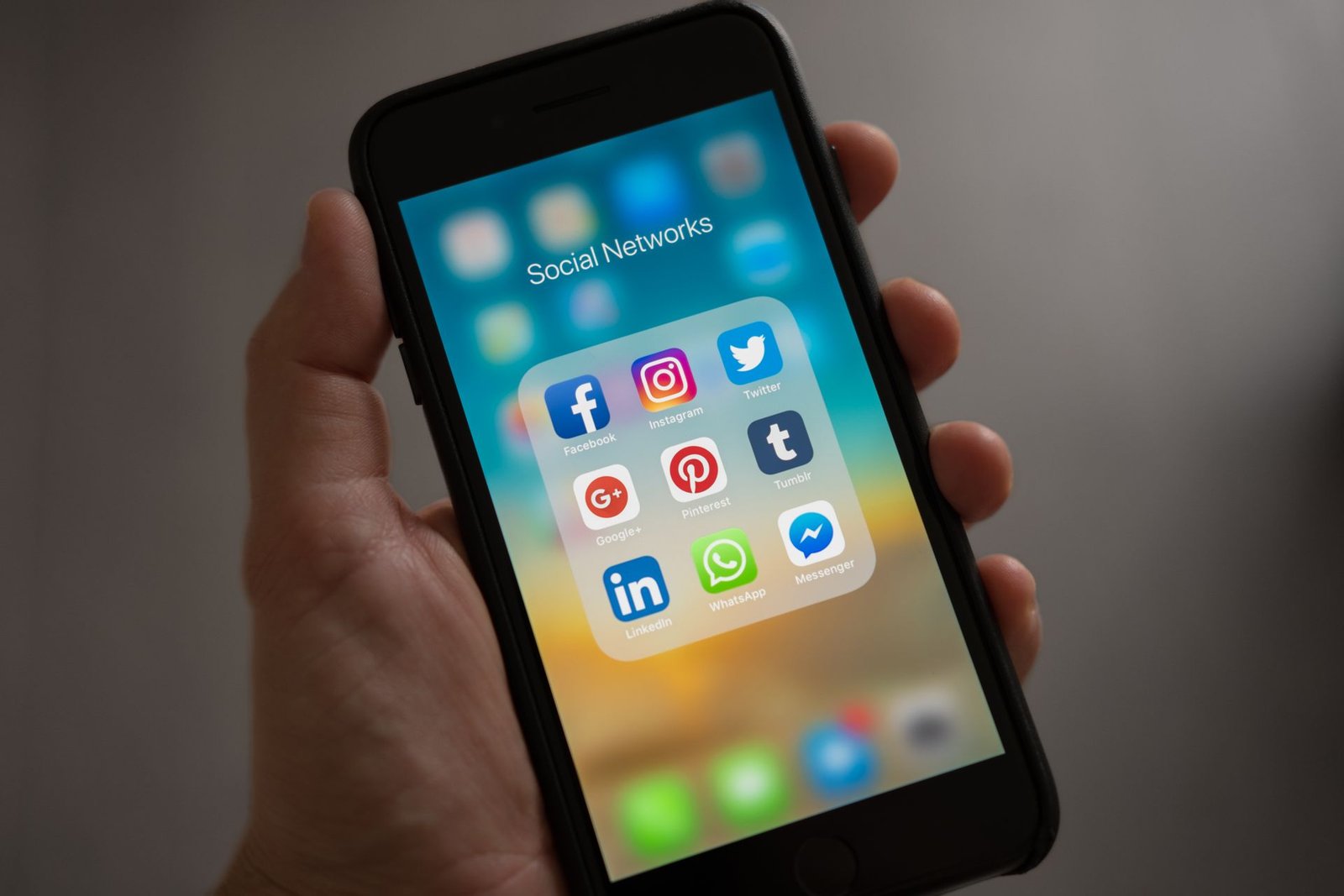
Google just started pulling your Facebook, Instagram, and TikTok posts directly into your Google Business Profile, and most business owners have no idea it is happening. The new feature is called GBP social media updates, and it is rolling out inside Google Search and Google Maps right now, changing what shows up the moment someone searches for your business.
If you run a local business, this is not a minor cosmetic tweak. Google Business Profile is already the first thing a customer sees when they search your name or your category near them, and now it can automatically display your latest social posts alongside your reviews, hours, and phone number. The businesses that show up here first will look active and trustworthy. The ones that do not connect their accounts will look like they went quiet months ago, even if that is not true.
What The GBP Social Media Updates Carousel Actually Does
Google now lets businesses connect official social profiles directly to their Google Business Profile. Once connected, Google automatically pulls in recent posts and displays them in a dedicated carousel inside your Knowledge Panel on Search and inside your listing on Maps. On mobile, that carousel sits close to your reviews and your call and directions buttons, which is prime real estate that used to be reserved for photos you uploaded yourself.
The rollout currently supports seven platforms: Facebook, Instagram, LinkedIn, Pinterest, TikTok, X, and YouTube. You can connect one official account per platform per business location. Google is rolling this out gradually in select regions and languages, so not every business owner sees the option yet, but the direction is clear. GBP social media updates are becoming a standard part of how Google displays a local business, not an optional extra.
Why This Matters More Than It Looks Like It Does
For years, social media and local search were treated as two separate jobs. You posted on Instagram to build brand awareness, and you optimized your Google Business Profile to get found by people ready to buy. GBP social media updates erase that line. Now the content your team already creates for social media shows up in front of high intent searchers who are actively looking for a business like yours right now, not casually scrolling a feed.
According to reporting from Search Engine Journal, AI Overviews already appear on a majority of local search queries, meaning a growing share of your potential customers are seeing an AI generated summary before they ever see a traditional list of results. Google’s AI systems draw on trusted, structured business data to build those summaries and recommendations. A profile that is actively fed by real GBP social media updates gives Google’s AI more current, descriptive information to work with, including what you sell, what you specialize in, and what you are doing this month.
There is also a trust dimension. Citing Google’s own data, BrightLocal reports that a complete Business Profile makes a company 2.7 times more likely to be seen as reputable and 70 percent more likely to be visited by a customer who found it. A steady stream of GBP social media updates is one of the easiest ways to keep a profile looking complete and current without adding a single new task to your week, since you are simply letting Google display work you are already doing.
| Platform | Shows In Carousel | Best Content Type | Recommended Cadence |
|---|---|---|---|
| Yes | Project photos, promotions | Weekly | |
| Yes | Before and after visuals | Weekly | |
| Yes | Team news, credentials | Biweekly | |
| TikTok | Yes | Short form video, founder voice | Weekly |
| YouTube | Yes | Service explainers, tours | Monthly |
| Yes | Finished work, inspiration | Monthly | |
| X | Yes | Announcements, quick updates | Weekly |
How To Turn On GBP Social Media Updates This Week
Setting this up takes about ten minutes once you know where to look. Here is the process, laid out as a simple flow.
Open Your Profile
Log in to Google Business Profile and select Edit Profile.
Go To Contact
Find the Social Profiles field inside the Contact section.
Add Verified Links
Paste your official business handles, not personal accounts.
Post With Purpose
Publish descriptive, weekly content so the carousel stays fresh.
Once your accounts are linked, treat this like part of your Google Business Profile optimization routine, not a separate task. The 2026 Whitespark Local Search Ranking Factors survey, which drew on input from 47 SEO experts, found that behavioral and activity based signals gained noticeably more weight this year. Profile freshness, including GBP social media updates, is part of that shift, even though Google has not formally confirmed it as a direct ranking factor.
Common Mistakes That Waste This Opportunity
Most businesses that try this get tripped up by the same handful of avoidable errors.
- Connecting a personal profile instead of the business account. This creates inconsistent branding and can undermine the credibility signals Google is trying to read.
- Linking a dead or broken page. Google can reject or hide a connection that leads to a redirect, a login wall, or an inactive account, so check every link after you add it.
- Posting vague updates with no detail. A caption like “another job done” tells Google and your customers nothing. Describe the service, the location, and the result instead.
- Setting it and forgetting it. A connected account that goes quiet for a month sends the same stale signal as an unclaimed profile. Multiple 2026 local search studies point to meaningful visibility drops once a profile goes 30 or more days without a new post or photo.
Your Plan For The Next 30 Days
You do not need a full marketing overhaul to benefit from this update. You need a short, consistent plan.
This week: Connect every official social account you actually maintain to your Google Business Profile, and confirm each link resolves correctly on both desktop and mobile.
Weeks two and three: Publish at least one descriptive post per active platform, written with specifics: the service performed, the neighborhood or city, and the outcome for the customer. This is also a good moment to review your broader SEO strategy to make sure your website content matches the same specific, keyword rich language.
Week four: Check which posts appeared in your carousel and which platforms drove the most profile views in your Google Business Profile performance dashboard. Double down on whichever platform is earning the most visibility. If you want a second opinion on how your profile is performing against AI powered search tools, FOG’s AI search optimization team can run a full audit.
Frequently Asked Questions
1. Do I need a new social media strategy to use GBP social media updates?
No. You simply need to connect your existing official accounts to your Google Business Profile. The feature pulls in content you are already creating, so the main change is making sure that content is specific and posted consistently.
2. Is this feature available to every business right now?
Not yet. Google is rolling out GBP social media updates gradually across select regions and languages, so availability will vary by location and business category as the rollout expands.
3. Will this replace Google Posts inside my Business Profile?
No. Google Posts and the Social Media Updates carousel currently work side by side. Businesses that use both give Google the most complete, current picture of what they offer.
GBP social media updates are a preview of where local search is heading: fewer separate channels, more of your marketing feeding one connected profile that both people and AI systems read to decide who to recommend. Businesses that connect their accounts and post with intention this month will look active and trustworthy the moment a customer searches. The ones that wait will simply look like they are not there.
Ready to Turn Your Social Posts Into Search Visibility?
FOG Digital Marketing connects and optimizes your Google Business Profile so every social post, review, and update works together to bring in more local customers.
Our Blog
Website Design Blogs
WordPress 7.1.3 Fixes 7 Holes: Update Your Site Now
WordPress 7.1.3 Fixes 7 Holes: Update Your Site Now October 20, 2026 Web Design Table of Contents WordPress 7.1.3 fixes seven security holes, and the WordPress team says...
Can an AI Website Builder Build My Business Site?
Can an AI Website Builder Build My Business Site? September 9, 2026 Web Design Table of Contents Yes, an AI website builder can produce a working business website...
Core Web Vitals: Why Slow Sites Are Losing Rankings
Core Web Vitals 2026: Why Slow Sites Are Losing Rankings July 7, 2026 Web Design Table of Contents If your website takes more than 2.5 seconds to show...