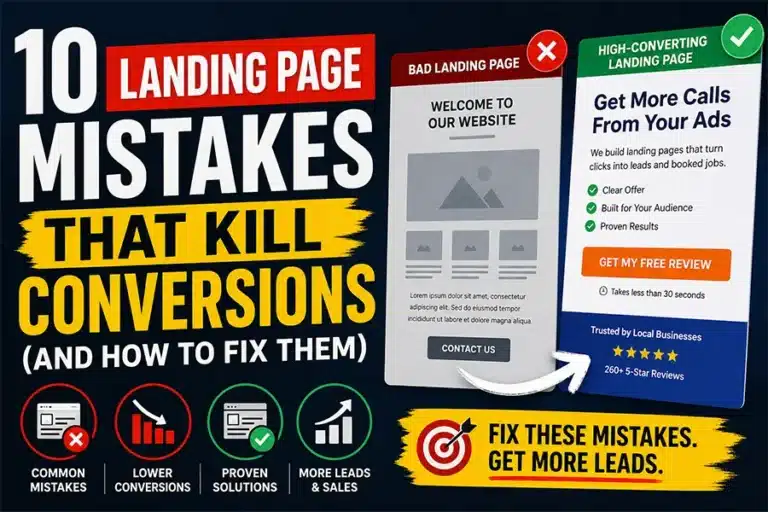
10 Landing Page Mistakes That Kill Conversions
1. Sending Traffic to Your Homepage
Your homepage is designed to inform—not convert.
It has:
Multiple links
Multiple services
No clear direction
👉 Result: confusion and drop-offs
Fix
Create a dedicated landing page focused on:
One service
One audience
One action
2. Using a Generic Contact Page
A contact page assumes the visitor is already convinced.
Most are not.
They still need:
Trust
Clarity
Reason to act
Fix
Add:
Clear headline
Benefits
Proof
CTA
3. Weak or Vague Headlines
If your headline doesn’t immediately answer:
👉 “What’s in it for me?”
They leave.
Bad Example:
“Welcome to Our Company”
Better Example:
“Get Same-Day AC Repair in San Antonio”
4. Too Much Information
More text does not mean more conversions.
Too much content:
Overwhelms visitors
Slows decisions
Reduces action
Fix
Use:
Short paragraphs
Bullet points
Clear sections
5. No Clear Call to Action
If your page doesn’t tell users what to do, they won’t do anything.
Fix
Use clear CTAs like:
6. Slow Page Speed
If your page takes more than 3 seconds to load, users leave.
Fix
Optimize images
Reduce scripts
Improve hosting
7. Not Mobile-Friendly
Most traffic comes from mobile devices.
If your page is hard to use:
👉 You lose leads instantly
Fix
Large buttons
Simple layout
Fast loading
8. Lack of Trust Signals
No reviews = no trust
No trust = no conversions
Fix
Add:
Reviews
Testimonials
Real results
Learn more about our Landing Page Services
Trust Elements That Increase Conversions
| Trust Element | Why It Matters |
|---|
| Google Reviews | Builds credibility |
| Client Testimonials | Shows real results |
| Case Studies | Demonstrates success |
9. Too Many Options
Multiple offers confuse users.
Confused users don’t convert.
Fix
Focus on:
One service
One offer
One action
10. No Alignment Between Ads and Page
If your ad says one thing and your page says another, trust breaks.
Fix
Match:
Bad vs Good Landing Page Flow
| Bad Flow |
Good Flow |
| Generic homepage |
Dedicated landing page |
| Multiple services |
Single focus |
| No CTA |
Clear next step |
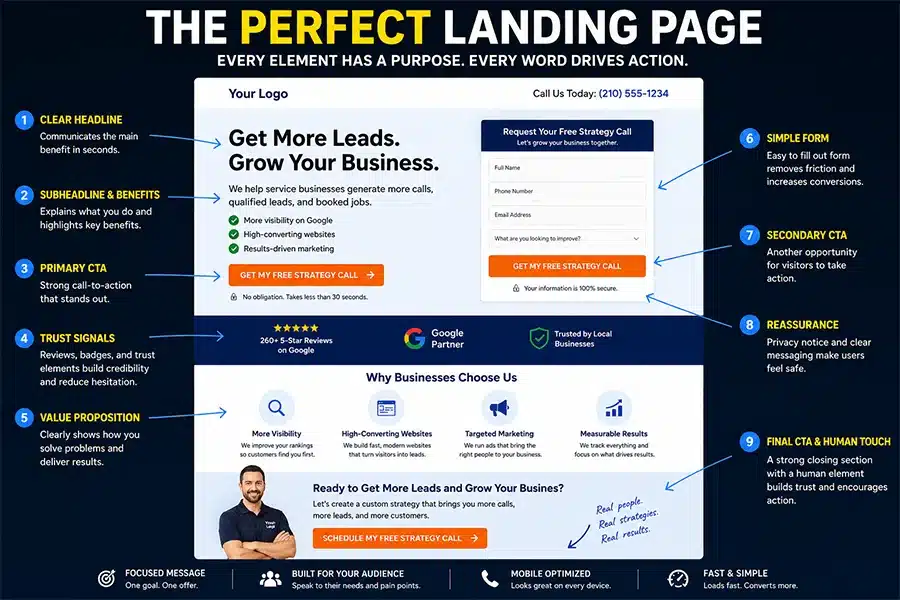
What a High-Converting Landing Page Looks Like
A strong landing page includes:
Clear headline focused on outcome
Short, direct explanation
Benefits (not features)
Trust signals
Simple form or call button
Real Scenario
Business runs ads:
$1,500 monthly budget
Good traffic
Low leads
Fix landing page:
Clear message
Better CTA
Added reviews
👉 Result: more calls without increasing ad spend
Final Thoughts
If your ads are not generating leads, don’t increase your budget yet.
Fix your landing page first.
That’s where conversions are won—or lost.