

Table of Contents
More than half of American businesses have never claimed their Apple Business Connect listing — and every one of them is invisible to the millions of iPhone users asking Siri and Apple Maps where to spend their money. If your business depends on local customers, that gap is quietly costing you calls, direction requests, and bookings you never see. The good news: fixing it is free, it takes about an hour, and most of your competitors still have not gotten around to it.
What Is Apple Business Connect and Why It Suddenly Matters
Apple Business Connect is Apple’s free tool for controlling how your business appears across Apple Maps, Siri, Spotlight search, CarPlay, Apple Wallet, and Messages. Think of it as the Apple version of your Google Business Profile — the “place card” iPhone users see when they search for what you sell.
For years it was easy to ignore. Not anymore. In April 2026, Apple merged Business Connect with its other business tools into a single platform (now called simply Apple Business) available in more than 200 countries, and it began wiring listing data directly into Apple Intelligence — the AI assistant layer built into every current iPhone, iPad, and Mac. When a customer asks Siri for “a bakery near me that is open past 8 and takes walk-ins,” the answer is assembled from business listing data, not from your website.
The audience is too big to write off. iPhones account for over half of U.S. smartphones, and Apple Maps handles roughly a quarter of U.S. mobile navigation. If you are not managing your Apple Business Connect listing, you are letting Apple guess at your hours, your photos, and even whether you are still open.
The Visibility Gap Most of Your Competitors Are Ignoring
Industry research puts the opportunity in plain terms: roughly 58% of U.S. businesses have never claimed their Apple Business Connect listing, and only about 16% actively manage one. Unclaimed listings get filled with data scraped from third-party directories — which is exactly how businesses end up with wrong hours, an old phone number, or a photo of the wrong storefront on their card.
There is also a clock ticking on this opportunity. Apple is rolling out paid ads inside Apple Maps. Once ads go live in your category, the top of that screen becomes pay-to-play — just like Google. Businesses that build out a complete, verified listing now get the free organic visibility before the auction starts. That is the same pattern we saw with local SEO and AI-powered search results: the early movers keep the advantage.
Google Business Profile vs. Apple Business Connect
You do not have to choose one — you need both. But they are separate systems: Apple does not read your Google listing, so updating one does nothing for the other. Here is how Google Business Profile and Apple Business Connect compare for a local business:
| Feature | Google Business Profile | Apple Business Connect |
|---|---|---|
| Where you show up | Google Search, Google Maps, AI Overviews | Apple Maps, Siri, Spotlight, CarPlay, Wallet, Messages |
| Cost | Free | Free (Maps ads rolling out separately) |
| AI assistant feeding from it | Gemini and Google AI answers | Siri and Apple Intelligence |
| Typical competition | High — most businesses actively manage it | Low — only ~16% of businesses actively manage it |
| Promotional posts | Google Posts and offers | Showcases (offers shown on your place card) |
| Action buttons | Call, directions, website, booking | Order, reserve, book — deep links into apps you already use |
The takeaway for a business owner: your Google listing covers Android users and Google searchers, while your Apple Business Connect listing covers the iPhone half of your market. Ignoring either one means writing off a huge slice of local customers. If you already manage Google well — for example with scheduled Google posts — the Apple side will feel familiar.
5 Essential Steps to Claim and Optimize Your Listing
Here is the exact sequence we recommend. Set aside about an hour for the first four steps.
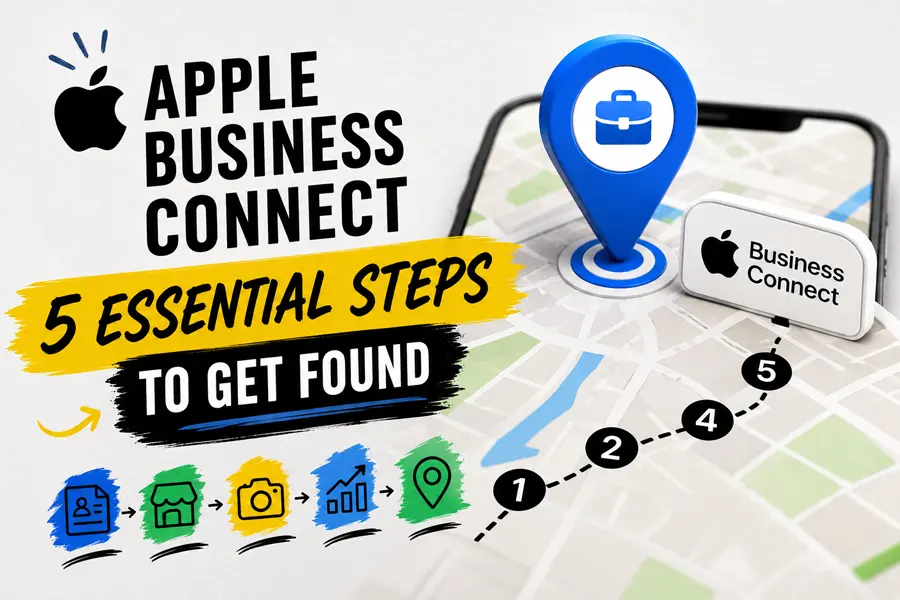
GET FOUND ON APPLE MAPS
The 5-Step Apple Business Connect Flow
Claim & Verify
Sign in at businessconnect.apple.com and prove you own the business
Complete Every Field
Hours, categories, attributes, and real photos of your business
Add Action Links
Order, book, and reserve buttons that send customers straight to you
Publish a Showcase
Promote an offer directly on your Apple Maps place card
Sync & Monitor
Keep it matched to Google and check insights monthly
Step 1: Claim and verify your business
Go to businessconnect.apple.com, sign in with an Apple ID, and search for your business. Most listings already exist — created from third-party data — so you are claiming and correcting, not starting from scratch. Verification is usually quick, though some businesses are asked for documentation and it can take a few days.
Step 2: Complete every field
Fill in hours, holiday hours, categories, and attributes, and upload real photos of your storefront, team, and work. Complete listings win: Apple Intelligence and Siri answer detailed questions (“open now,” “takes reservations,” “good for groups”) using these exact fields.
Step 3: Add action links
Action links put an Order, Book, or Reserve button right on your place card, deep-linked to the reservation, ordering, or booking tools you already use. That turns your listing from a signpost into a sales channel — a customer can go from Siri answer to booked appointment without ever seeing a competitor.
Step 4: Publish a Showcase
Showcases are Apple’s version of promotional posts: a current offer or announcement displayed on your card. Few small businesses use them, so a simple monthly offer makes you stand out immediately in Apple Business Connect search results.
Step 5: Keep it synced and monitor results
Whenever your hours, phone number, or services change in Google, change them in Apple too — the two do not talk to each other. Then check the built-in insights monthly: searches, taps, calls, and direction requests tell you whether the listing is producing real customers.
Frequently Asked Questions
Is Apple Business Connect really free?
Yes. Claiming, verifying, and fully managing your Apple Business Connect listing costs nothing. Apple is introducing paid ads in Apple Maps as a separate product, but the organic listing — your place card, photos, action links, and Showcases — stays free.
Do I still need it if I already manage my Google Business Profile?
Yes. Apple does not pull from Google, so a perfect Google listing does nothing for the half of your customers on iPhones. Apple Business Connect is a separate registration that takes about an hour to set up and covers Apple Maps, Siri, and Apple Intelligence.
How do I know if it is actually bringing in customers?
The dashboard shows impressions, taps, calls, website clicks, and direction requests for your listing. Watch direction requests and calls month over month — those are the two numbers that most directly translate into revenue for a local business.
Ready to Get Found on Apple Maps and Siri?
FOG Digital Marketing will claim, verify, and optimize your Apple Business Connect listing so iPhone customers find you — not your competitors.
Our Blog
Website Design Blogs
WordPress 7.1.3 Fixes 7 Holes: Update Your Site Now
WordPress 7.1.3 Fixes 7 Holes: Update Your Site Now October 20, 2026 Web Design Table of Contents WordPress 7.1.3 fixes seven security holes, and the WordPress team says...

Can an AI Website Builder Build My Business Site?
Can an AI Website Builder Build My Business Site? September 9, 2026 Web Design Table of Contents Yes, an AI website builder can produce a working business website...

Core Web Vitals: Why Slow Sites Are Losing Rankings
Core Web Vitals 2026: Why Slow Sites Are Losing Rankings July 7, 2026 Web Design Table of Contents If your website takes more than 2.5 seconds to show...