

Table of Contents
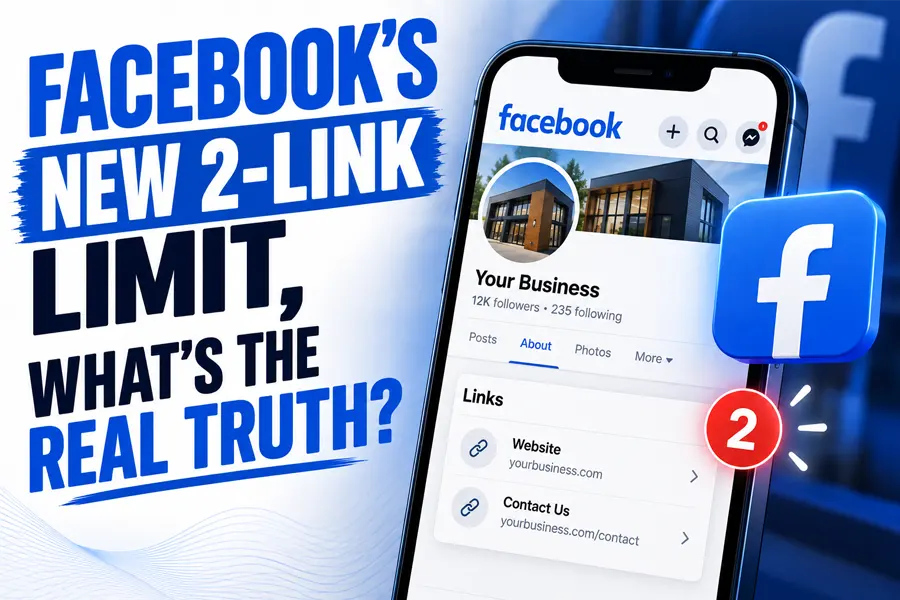
Yes, the Facebook link limit is real, but the version going around social media is wrong in ways that are actively costing business owners their two monthly links. Meta caps many Pages at two organic posts or comments containing links per month. The two details nobody is reporting correctly: the limit does not apply to every Page, and links you put in the comments count against it.
That second point matters most, because “just put the link in the comments” is the advice being passed around in every small business group right now. Meta’s own help documentation says otherwise. Here is what Meta actually publishes, what it costs to lift the cap, and what to do instead.
Key Takeaways
- Meta’s own help page states that affected Pages can include links in up to 2 organic posts or comments per month, and that the limit resets on the 1st of each month.
- Meta explicitly writes that limits on posts and comments with links “may not apply to all Pages,” so this is not the blanket platform-wide ban it is being reported as.
- Links placed in comments count toward the Facebook link limit, which contradicts the most widely shared workaround circulating among business owners.
- One narrow exception does exist: extra links in the comments of a post that already contains a link do not count again.
- Meta One Essential at $14.99 per month gives you the same 2 links as the free tier. The first paid plan that actually increases the limit is Advanced at $49.99 per month, which allows 8.
- Links inside paid ads are not limited at all, which tells you exactly what this policy is designed to do.
Is the Facebook Link Limit Real?
It is real, and it is documented. Meta publishes the policy itself in a help article titled About links in organic Facebook Page posts and comments, which lays out the cap, the reset date, the exceptions and the subscription pricing in one place. This is not a leak or a rumor from a marketing forum.
But the first line of that help article is the part everyone is skipping. Meta writes that limits on posts and comments with links “may not apply to all Pages.” Then it describes the rule conditionally: if you are seeing a limit on your Page, here is how it works.
So before you restructure your entire content plan, check your own Page. Open the composer, start a post, and add a link. An affected Page shows you a counter telling you how many link posts you have left. A Page that is not affected simply lets you post. Thousands of owners are panicking about a restriction that has not reached their account.
The wider context is that Meta has spent years discouraging outbound links, long before any formal cap. Facebook’s own composer has been nudging users that posts without links get more reach for a while now, and reporting on this pattern has been consistent across the industry for the better part of a decade.
What Meta Actually Documents
Here is the Facebook link limit in plain language, taken directly from Meta’s help article rather than from secondhand summaries.
Affected Pages can include links in up to two organic posts or comments per month. The free limit resets on the 1st of each month. For subscribers, it resets on the date the subscription renews. Unused links do not roll over, so an unused allowance in one month is simply gone.
Meta also confirms two things you keep when you do spend a link. You can replace the auto-selected link preview image with one from your own camera roll, and you can attach a dedicated call to action button that sends people straight to your destination. If you only get two of these a month, use both features every single time.
Why the Link in Comments Trick Stopped Working
This is the correction that matters, and it is worth being precise about it.
On February 5, 2026, Social Media Examiner published an analysis of Facebook’s link rules with Facebook expert Mari Smith which stated that the restriction applied to the post body and that users could still share unlimited links in the comments section. That guidance spread everywhere, and it is still the advice being repeated in business groups today.
Meta’s current help documentation does not say that. It says the cap covers up to two organic posts or comments per month, and it lists “links included in organic posts and comments you’ve published on your Page” as the thing that counts. Either the policy tightened after February, or the early reporting was incomplete. We cannot tell you which from the outside, and anyone claiming certainty about that is guessing.
What we can tell you is the practical consequence. If you are dropping standalone link comments on your own posts believing they are free, you may be spending your monthly allowance without realizing it, then wondering why the link on your important post will not publish.
There is one real exception, and it is genuinely useful. Meta states that additional links in the comments of a post where you have already included a link do not count. So once you have spent a link on a post, that post’s comment section becomes a safe place to add more. The trick is not dead. It just has a prerequisite nobody mentioned.
What Does Not Count Against Your Limit
Meta lists specific categories that are exempt from the Facebook link limit. Knowing these is the difference between two usable links a month and effectively many more.
- Links to Meta technologies. Facebook, Instagram, WhatsApp and Threads links are unlimited. Pointing people to your own WhatsApp or Instagram costs you nothing.
- Additional links in the comments of a post that already has a link. Covered above, and the most practical exemption on this list.
- Affiliate partner links connected through Facebook’s own affiliate partnerships.
- Links in ads. Paid placements are completely unaffected by the Facebook link limit.
That last exemption is the whole strategy in one line. Meta is not stopping you from sending people to your website. It is charging you for the privilege of doing it organically, while leaving the paid door wide open.

Should You Pay to Lift the Cap?
Meta rebranded and absorbed its Meta Verified subscription into Meta One, announced in September, which is why the name you remember may not match what you see in your account. Here is the official link allowance by plan, straight from Meta’s published table.
| Meta One Plan | Monthly Cost | Link Posts or Comments | Worth It For |
|---|---|---|---|
| Free | $0 | 2 | Almost every local business |
| Essential | $14.99 | 2 (no increase) | The badge, not the links |
| Advanced | $49.99 | 8 | Daily posters who track link revenue |
| Expert | $149.99 | 20 | Teams running multiple accounts |
| Max | $499.99 | Unlimited | Large publishers, rarely a local business |
Read the second row twice. Essential costs $14.99 a month and gives you exactly the same two links as the free tier. Owners are subscribing to that plan specifically to fix this problem and getting nothing for it. If links are genuinely your reason for paying, the entry point is $49.99.
Before you spend it, do the math honestly. At $49.99 a month you are paying $600 a year for six extra link posts per month. If you cannot name what those links earned you last quarter, that same budget spent on ads reaches people who have never heard of you. We worked through this calculation in detail in our piece on whether Meta Verified is worth it for a local business, and the reasoning holds up under the new pricing.
One more thing to avoid confusing: Instagram runs a completely separate system with different numbers. Meta’s help page for links on Instagram posts and reels lists 4, 8 and 12 per month by tier, with posts and reels holding separate allowances. Any article quoting one set of numbers for both platforms has not checked the source.
What to Do About It This Week
The Facebook link limit is a symptom of something bigger: you do not own your audience on rented land. These five moves handle the immediate problem and reduce the exposure.
5 Moves When Facebook Caps Your Links
Check whether you are actually limited
Start a post, add a link, look for the counter. Do not change anything until you confirm it applies to you.
Spend your two links on purpose
Pick the two posts a month that actually sell. Use the custom preview image and the call to action button on both.
Stack extra links under a post that already has one
That is the exemption Meta actually grants. Standalone link comments on link-free posts are what cost you.
Move the conversation into messages
Links to Meta properties are unlimited. Invite people to message you, then send the link privately.
Rebuild traffic on channels you own
Your website, your Google profile and your email list cannot be rate limited by a policy change.
Step five is the one that outlasts this news cycle. A customer who finds you through search arrives on a page you control, with no cap on how many times you can ask for the sale, which is the entire argument for putting real effort into your business website and your Google Business Profile. Email is the other channel nobody can throttle, though it has rules of its own worth understanding, which we covered in our guide to email deliverability requirements.
Common Mistakes We See Right Now
- Assuming the Facebook link limit applies to you. Meta says it may not apply to all Pages. Check your composer before you rebuild your content calendar around a restriction you may not have.
- Trusting the comments workaround. Standalone link comments count. Only comments under a post that already has a link are exempt.
- Buying the $14.99 plan to fix it. Essential gives you the same two links as free. It is the wrong purchase for this specific problem.
- Quoting Instagram’s numbers for Facebook. They are different systems with different allowances. Most articles get this wrong.
- Treating social media as your traffic strategy. If one platform’s policy change can cut off your leads, social was never a strategy. It was a rented channel, which is why social search behavior should feed your owned channels rather than replace them.
Frequently Asked Questions
Does the Facebook link limit apply to my Page?
Not necessarily. Meta’s help documentation explicitly states that limits on posts and comments with links may not apply to all Pages. The fastest way to check is to start a post, add a link, and look for a counter showing how many link posts you have remaining. If no counter appears, your Page is not currently affected.Do links in the comments count toward the limit?
Yes, according to Meta’s current documentation, which describes the cap as two organic posts or comments per month. The one exception is additional links in the comments of a post that already contains a link, which do not count again. Earlier reporting said comment links were unlimited, so this is the detail most likely to catch you out.What happens when I hit the limit?
Once you reach the Facebook link limit, you cannot publish additional organic posts or comments containing outside links until the allowance resets. For free accounts that reset happens on the 1st of each month, and unused links do not carry over. Links inside paid ads are never affected.Is paying for Meta One worth it just to get more links?
For most local businesses, no. The $14.99 Essential plan gives you the same two links as the free tier, and the first plan that raises the cap is Advanced at $49.99 per month for eight links. Unless you can point to revenue your organic Facebook links generated last quarter, that budget usually works harder as ad spend or as investment in channels you own.How do I keep sending traffic to my website without using a link?
Point people to a message thread, since links to Meta properties like WhatsApp and Messenger do not count against the limit, then share your link privately. Beyond that, the durable answer is reducing how much of your traffic depends on any single platform, which is what search visibility work and AI search optimization are for.
The honest summary is narrower than the panic and more useful than the reassurance. Meta has put a meter on organic outbound links for some Pages, priced the fix at a level most local businesses should not pay, and left the paid lane untouched. Check whether it applies to you, spend your two links deliberately, and treat this as the reminder it is: the audience you own is the only one nobody can cap.
Stop Renting Your Audience From Facebook
FOG Digital Marketing builds the channels you actually own, your website, your Google profile and your email list, so one platform policy change cannot cut off your leads. Based in San Antonio.
Our Blog
Website Design Blogs

Can an AI Website Builder Build My Business Site?
Can an AI Website Builder Build My Business Site? September 9, 2026 Web Design Table of Contents Yes, an AI website builder can produce a working business website...

Core Web Vitals 2026: Why Slow Sites Are Losing Rankings
Core Web Vitals 2026: Why Slow Sites Are Losing Rankings July 7, 2026 Web Design Table of Contents If your website takes more than 2.5 seconds to show...

ADA Website Compliance: Critical 2026 Alert for Owners
ADA Website Compliance: Critical 2026 Alert for Owners July 6, 2026 Web Design Table of Contents If your website has a broken form field, low-contrast text, or an...