

Google Business Profile Photo Scam Is Stealing Your Calls
Table of Contents
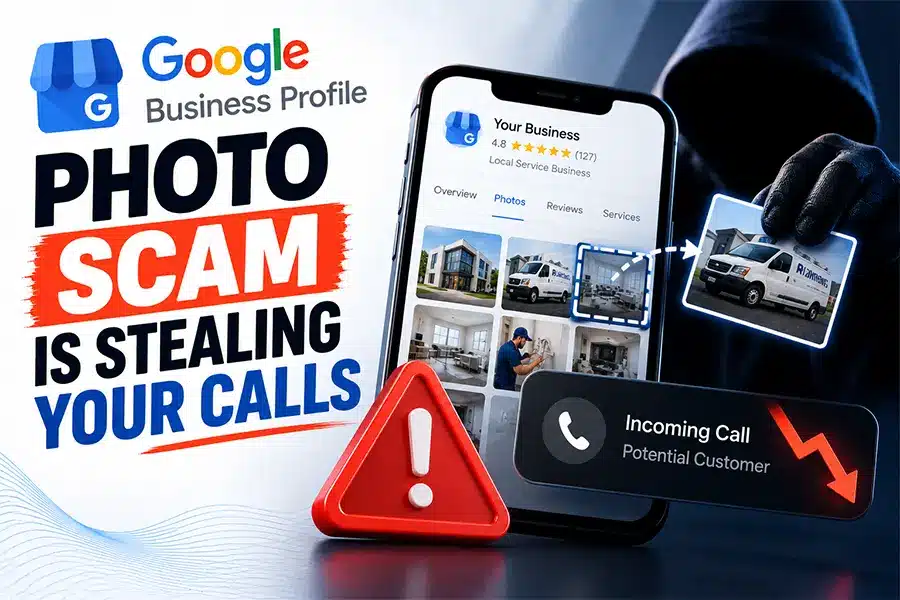
Scammers are uploading fake photos to real Google Business Profiles with their own phone number printed inside the image, and customers are calling the scammer instead of you. The Google Business Profile photo scam works because any Google Maps contributor can add a photo to any business listing, and Google sometimes promotes that photo to the top of the profile where it looks like an official cover image. Search Engine Roundtable documented the pattern on September 10, 2026, after one contributor was found to have pushed more than 150 photo uploads onto unrelated businesses across the United States, every image carrying the same fake number.
If you own a service business that lives on inbound phone calls, this is the most expensive five minutes of checking you can do this week. Below is what changed, how to check your own profile, and exactly how to get a fake image removed.
Key Takeaways
- On September 10, 2026, Search Engine Roundtable reported a Google Business Profile photo scam in which a single Google Maps contributor uploaded AI generated images carrying a fake phone number to more than 150 unrelated business listings.
- Any Google Maps contributor can add a photo to any business listing without the owner’s permission, and Google can display that photo prominently on the profile.
- Calls placed to the number printed inside the image never reach the business, so the owner sees a quiet phone and no obvious cause.
- Google removed the specific offending contributor one day later, on September 11, 2026, but only after the case was made public.
- Google’s official removal path is the Report a problem control on the individual photo, and Google states the review can take several business days.
- Adding more of your own photos does not push a fake image down, because Google ranks profile photos by its own relevance signals rather than by upload date.
What Exactly Is the Google Business Profile Photo Scam?
The Google Business Profile photo scam is a call interception attack dressed up as a harmless picture. A scammer creates a Google Maps contributor account, generates an image that looks like a legitimate storefront, van wrap, or service banner for your business, prints a phone number they control directly onto that image, and uploads it to your listing. Nothing about your actual profile data changes. Your real number is still there in the contact section. But the image sits at the top of your profile, and a customer scanning the listing on a phone reads the number in the picture and dials it.
The version reported in September 2026 targeted home service companies, including a roofing contractor whose profile was hit with an AI generated image using the real business name paired with a stranger’s number. The contributor behind it had more than 150 photo contributions spread across unrelated businesses in different states, all sharing the same fake number. That volume is what makes this a systematic campaign rather than a one off prank.
Google did act. The contributor account was removed on September 11, 2026, one day after the case was written up publicly. That resolution matters, but it also tells you the practical lesson: the fix came from public escalation, not from the standard reporting queue. Business owners who report quietly and wait are the ones who stay exposed the longest.
Why Can Strangers Add Photos to Your Profile at All?
This surprises almost every owner we talk to in San Antonio. User contributed photos are a deliberate feature, not a bug. Google wants Maps to reflect what a place actually looks like today, so customers, Local Guides, and ordinary contributors can all add images to a listing. That openness is also the doorway the Google Business Profile photo scam walks through.
Here is the practical difference between the images you control and the images anyone can add.
| Compare | Photos You Upload as the Owner | Photos Contributors Upload |
|---|---|---|
| Who can post | Verified owners and managers only | Any Google account with Maps contributor access |
| Approval needed from you | Not applicable, they are yours | None, they appear without notifying you |
| How you remove one | Delete it yourself instantly | Submit a report and wait for Google to review |
| Typical turnaround | Immediate | Several business days, per Google’s own documentation |
| Risk to your phone line | None | High if the image contains a phone number you do not own |
| Who gets blamed by the customer | You | Still you |
That last row is the part owners underestimate. A customer who calls a fake number and gets scammed does not blame an anonymous Maps contributor. They blame the business whose name was on the picture. This is reputation damage on top of lost revenue, which is why we treat photo monitoring as part of ongoing Google Business Profile optimization rather than a one time cleanup task.
How Do I Check My Profile for a Fake Photo Right Now?
Do not delegate this one. Pull out your phone and run these five steps yourself, the way a customer would see your listing.
Your Five Minute Photo Audit
Search your own business name on a phone
Use a logged out browser or incognito window so you see the public listing, not your owner dashboard view.
Open the photo gallery and sort by newest
Check the By owner and By visitor tabs separately. Anything with text baked into the image deserves a closer look.
Read every phone number printed in an image
Compare each one digit by digit against your real line. Scammers often change only one or two digits so it passes a quick glance.
Tap the contributor name behind any suspicious photo
If that account has dozens of uploads across unrelated businesses in other cities, you are looking at the Google Business Profile photo scam, not a customer snapshot.
Screenshot everything before you report
Capture the image, the fake number, the contributor profile, and the date. You will need all four if the first report goes nowhere.
Put this on a recurring calendar reminder. Monthly is the minimum for a business that depends on phone calls, and weekly is reasonable for high value trades like roofing, plumbing, HVAC, and towing where a single intercepted call can be worth thousands of dollars.

What Do I Do If I Find a Fake Photo on My Listing?
Google’s official removal path runs through the photo itself. Follow Google’s instructions for reporting inappropriate photos on your Business Profile: open your profile, select Photos, choose the offending image, select Report a problem, pick a reason, and submit. Google states plainly in that documentation that the review process can take several business days, and it warns that filing duplicate reports on the same image can actually slow the review down.
Pick your reason carefully, because the reason code routes your report. An image carrying a competitor’s or scammer’s phone number under your business name falls squarely under the Fake and Misleading Content, Impersonation, and Misrepresentation sections of Google’s Maps user generated content policy. Choose the option closest to impersonation or misleading content rather than a vague quality complaint.
Then escalate rather than wait. The September case documented by Search Engine Roundtable’s report on the Maps photo scam was resolved in roughly a day after it became public, while the owner’s earlier support ticket produced only a generic reply. Report the contributor account itself, not just the single photo, since one account is typically hitting many listings at once. Post the evidence in the Google Business Profile Help Community, where product experts monitor threads. If the fake number has already taken calls, notify your customers directly through a Google post and your usual channels.
How Do I Make My Profile a Harder Target?
You cannot switch off contributor photos. You can make your listing harder to hijack and easier to defend, and most of it takes an afternoon.
- Claim and verify every location you operate. Google states in its official guidance on protecting your Business Profile that unclaimed locations are far more vulnerable to hijacking.
- Upload a strong set of real photos with your correct phone number visible on vehicles, signage, and uniforms, so a fake number sitting beside them looks obviously wrong.
- Audit who has owner and manager access, and remove former employees and old agencies immediately.
- Keep your phone number identical on your website, your profile, and every directory listing, because inconsistency makes a fake number look plausible.
- Track your call volume weekly so a sudden unexplained drop triggers an investigation instead of a shrug.
Call tracking matters more than owners expect here. A profile hijack does not throw an error message. It just makes the phone quieter. If you already watch your call volume and your booking rate, the anomaly shows up fast, which is one reason we pair profile monitoring with conversion rate optimization for our service business clients. It is the same discipline that protects you when Google’s AI starts calling your business to confirm details on its own.
Common Mistakes Business Owners Make
- Assuming the top image on the listing is one they uploaded. Google chooses which photo leads, and it is often a contributor image.
- Trying to bury a fake photo by uploading twenty new ones. Google ranks profile photos by its own signals, not by recency, so the fake image usually stays put.
- Filing the same report over and over. Google’s documentation says duplicate submissions can delay the review.
- Reporting the photo but never reporting the contributor account behind it, which leaves the same scammer free to re upload.
- Checking the profile only from the owner dashboard, which does not show the listing the way a customer actually sees it.
- Waiting quietly on a support ticket. In the September 2026 case, public escalation is what produced the removal.
- Treating this as an isolated incident. The same contributor pattern also drives review spam and the naming violations behind many Google Business Profile suspensions.
Frequently Asked Questions
Can someone really upload a photo to my Google Business Profile without asking me?
Yes. Any Google account with Maps contributor access can add a photo to any business listing, and you receive no approval request before it goes live. This is a standard Maps feature, and it is exactly the opening the Google Business Profile photo scam exploits.How long does Google take to remove a fake photo?
Google’s own documentation says the review can take several business days. In the September 2026 case, the offending contributor was removed one day after the situation was reported publicly, which suggests visible escalation moves faster than a quiet support ticket.Will adding more of my own photos push the fake one down?
No. Google decides which images lead your profile based on its own relevance signals, not upload order, so flooding the gallery does not reliably hide a fake image. The owner in the reported case added a logo and a cover image and the fake photo stayed prominent.How do I know if a photo on my listing is fake?
Look for text baked into the image, especially a phone number, and compare it digit by digit with your real line. Then tap the contributor name: an account with many uploads across unrelated businesses in other cities is the clearest signal of the Google Business Profile photo scam.Does this affect how AI assistants describe my business?
It can. Assistants like Google AI Mode, ChatGPT, and Perplexity draw on public profile data, and inconsistent contact information weakens the confidence they place in your listing. Keeping your name, address, and phone number consistent everywhere is a core part of AI search optimization.
The Bottom Line for Your Business
A fake image with a stranger’s phone number is one of the cheapest attacks available against a local business and one of the hardest to notice, because nothing in your dashboard breaks. The Google Business Profile photo scam costs you the call, the job, and the customer’s trust all at once, and the only reliable defense is checking your public listing on a schedule rather than assuming it looks the way you left it. FOG Digital Marketing works with San Antonio service businesses on exactly this kind of profile integrity work, and if you want a second set of eyes, start with a free Google Business Profile audit.
Who Is Answering the Calls Meant for You?
FOG Digital Marketing audits your Google Business Profile for fake photos, hijacked phone numbers and listing errors that quietly cost you calls, then fixes them. Based in San Antonio, working with owners nationwide.
Our Blog
Website Design Blogs

Can an AI Website Builder Build My Business Site?
Can an AI Website Builder Build My Business Site? September 9, 2026 Web Design Table of Contents Yes, an AI website builder can produce a working business website...

Core Web Vitals 2026: Why Slow Sites Are Losing Rankings
Core Web Vitals 2026: Why Slow Sites Are Losing Rankings July 7, 2026 Web Design Table of Contents If your website takes more than 2.5 seconds to show...

ADA Website Compliance: Critical 2026 Alert for Owners
ADA Website Compliance: Critical 2026 Alert for Owners July 6, 2026 Web Design Table of Contents If your website has a broken form field, low-contrast text, or an...