

Table of Contents
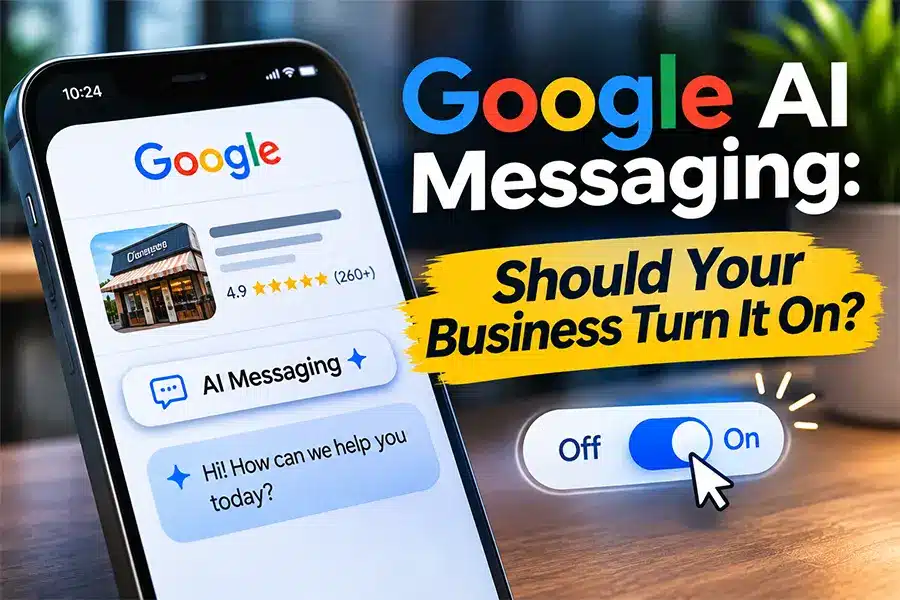
Google is now inviting more businesses to turn on Google AI messaging, a free feature that lets customers text you from your Business Profile on Search and Maps while an AI agent answers routine questions on your behalf. Search Engine Roundtable reported the wider rollout on October 29, and on November 16 Google also began letting owners add a Facebook Messenger account under the Chat option of their profile. If you see a red dot on Messages in your profile, you have been invited. Before you say yes, it pays to understand who qualifies, what the AI agent will say for you, and when a real person on your team still has to step in.
Key Takeaways
- Google AI messaging lets customers start a chat from your Business Profile and continue it in their phone’s own Messages app, using RCS for Business, the upgraded texting standard that replaces plain SMS.
- Google’s help center says the feature is currently available in the United States (select mobile carriers), the United Kingdom, France, and Germany, for businesses in the Restaurant, Beauty Services, and Vehicle Services categories.
- US businesses must pass an independent review that asks for an EIN, an authorized representative, a working business email, a website or social profile, and live Privacy Policy and Terms of Service pages. Google says the review takes up to 4 business days and is valid for 1 year.
- The AI agent pulls answers from your Business Profile and your verified website, so outdated hours or services become wrong answers sent in your name.
- The agent hands a chat to you when a customer asks about allergies, health, custom quotes, or wants a person. If you do not reply within 1 hour during business hours, the chat goes back to the AI, which tells the customer to call you.
- As of November 16, Google Business Profile also lets owners manually add a Facebook Messenger account under Chat, which helps businesses that are not yet eligible for the AI agent.
What Is Google AI Messaging and What Just Changed?
Google AI messaging is Google’s new way to let customers message a business straight from its Business Profile. It is built on RCS for Business. RCS stands for Rich Communication Services, the modern texting standard that supports images, buttons, read receipts, and verified business identities inside the normal Messages app on a phone. Instead of opening a separate Google chat window, the customer taps to message you and the conversation lives in the same app they use to text friends and family.
The new part is the AI agent. According to Google’s own guide to getting started with AI enabled messaging on your Business Profile, all incoming customer messages are first handled by an AI agent that answers common questions such as “What are your hours?” and helps with bookings. You can watch every conversation in real time, take over at any moment, and hand it back when you are done.
Google first tested an AI labeled Messages button on some profiles in June. In late October, Google started emailing invitations to many more businesses, and Search Engine Roundtable covered the expansion on October 29. Then on November 16, owners started seeing Facebook Messenger as a manual option under the Chat feature when editing their profile, after Google had emailed some businesses saying it had added Messenger links automatically. Search Engine Roundtable also reported a November 6 sighting of a “Chat” link inside sitelinks in regular search results, which may be connected, but Google has not confirmed that test.
Why it matters: Google chat on Business Profiles was shut down in July 2024, and many owners stopped thinking about messaging as a Google channel. This brings it back, with an AI layer that can answer customers at 10 PM on a Sunday. That is a real opportunity, and a real risk if your profile data is sloppy.
Who Can Turn On Google AI Messaging Right Now?
Eligibility is narrower than the headlines suggest. Google’s help page states the feature is currently available in France, Germany, the United Kingdom, and the United States (select mobile carriers) to merchants in three categories: Restaurant, Beauty Services, and Vehicle Services. Google adds that it may not be available for all businesses. The AI agent also only works when the customer’s phone and carrier support RCS. Customers on unsupported networks fall back to ordinary text messages.
If you run a restaurant, a salon, a spa, an auto repair shop, a detail shop, or a dealership service department, watch your profile for the red dot on Messages. If you are a plumber, roofer, HVAC company, law firm, or dental office, you are most likely not eligible today. That does not mean you should ignore it. Google tends to expand features category by category, and the prep work below takes time to complete.
There is also a verification step most owners do not expect. Google’s page on how to confirm your business to enable AI messaging explains that this review is separate from normal Business Profile verification and is run by independent third party review providers. For a US business, you will need:
- Your Employer Identification Number (EIN) and a business that is registered and in good standing.
- The name of an authorized representative for the company.
- An active business email that can receive mail, because Google sends a confirmation link with a strict expiration window.
- A valid website or official social profile, plus live, public links to a Privacy Policy and Terms of Service with no SSL errors or timeouts.
- A verified, correctly formatted phone number.
Sole proprietors, or owners using an email address that does not match their business domain, may also be asked to upload a photo ID and take a live selfie. Google says US reviews take up to 4 business days and stay valid for 1 year. Once approved, your profile shows a Verified Sender badge next to your business name.
How Does Google AI Messaging Decide When You Need to Step In?
This is the part every owner and manager should read twice, because it controls what your customers experience. By default, the AI agent handles every incoming message. It hands the conversation to you, and moves it into a “Needs your attention” queue, in four situations. The table below lays out the rules from Google’s help center and what each one means for your staff.
| Situation | Who Handles It | What Google Does | Your Move |
|---|---|---|---|
| Routine question (hours, menu, services, booking) | AI agent | Answers instantly using your Business Profile and verified website | Keep hours, services, and website pages accurate |
| High risk topic (allergies, health, special requirements) | You | Tells the customer it is handing off and alerts you by text and email | Assign a named person to answer alerts |
| Complex request (large group booking, custom quote) | You | Moves the chat to Needs your attention | Have quote and booking answers ready to paste |
| No reply within 1 hour during business hours | AI agent again | Takes the chat back and tells the customer to call you | Set a response target well under 1 hour |
| You reply to a customer | You | AI stays paused for 24 hours after your last message | Finish the conversation or select Resume AI agent |
| Customer texts STOP, or 30 days pass with no activity | Nobody | You cannot message them until they write to you again | Capture contact info early in the chat |
The 1 hour rule is the one that costs money. If a high value customer asks for a custom quote at 2 PM and nobody answers by 3 PM, the AI tells them to call. Many will simply call your competitor instead. Google’s Insights tab tracks “Missed handoffs,” so you will be able to see exactly how often this happens.

What Should You Check Before You Turn On Google AI Messaging?
The AI agent is only as good as the information it can read. Google says core details such as hours, address, phone number, and listed services are pulled directly from your verified Business Profile, and additional information comes from your verified website. Run these five checks first. For most single location businesses, this is a one to two hour job.
5 Checks Before You Switch On the AI Agent
Audit your Business Profile details
Confirm regular hours, holiday hours, services, and phone number. Every wrong detail becomes a wrong answer the AI sends in your name.
Update the website pages the AI will read
Your services, pricing guidance, booking policy, and FAQ pages should match what your staff says on the phone today.
Publish a Privacy Policy and Terms page
US reviews require live, public links to both with no SSL errors. Missing pages are a common reason for an automatic rejection.
Lock in your name, logo, and banner first
After approval you cannot freely edit your display name or logo, and a name change does not update your messaging profile automatically.
Name an owner for handoff alerts
Pick the phone number and email that receive handoff alerts, and set a goal of replying within 15 minutes during business hours.
Once you are live, open the Settings tab and customize two things. First, the welcome message, which can be up to 175 characters. Second, up to 3 conversation starters, such as “Book an oil change” or “Today’s specials.” Google notes that welcome messages and conversation starters are not currently shown to customers on iPhones, so do not rely on them alone.
Is Google AI Messaging Worth It for a Small Business?
For eligible businesses with someone who can watch alerts, Google AI messaging is usually worth turning on. It is free, it answers after hours questions you are missing today, and it puts a verified badge next to your name. The math is simple. If your shop misses even two booking questions a week because nobody is free to pick up the phone, an agent that answers them instantly can recover dozens of appointments a year.
The case against it is just as concrete. The AI speaks for your brand using whatever data it finds. If your website still lists a service you stopped offering or prices from two years ago, customers will hear that from “you.” Messaging is also strictly one to one customer service. Google’s rules prohibit promotional blasts and mass marketing texts, and accounts that send spam receive policy strikes before suspension. Treat it as a front desk, not as an email list.
One more operational detail catches owners off guard. If your profile is marked temporarily closed, messaging stays active and customers can still reach you. If you close for a holiday week, turn messaging off manually in Settings, or your AI agent will keep answering while nobody is there to handle handoffs.
What If Your Business Is Not Eligible for Google AI Messaging Yet?
Most home service companies, medical offices, and professional firms will not see the invitation yet. You can still capture the same customer behavior this week. Add a Facebook Messenger account under Chat in your profile now that Google lets you do it manually, or add WhatsApp or a text number, as we explain in our guide to adding WhatsApp to your Business Profile. Make sure someone actually answers those channels, because an unanswered chat looks worse than no chat at all.
Then do the prep work that Google AI messaging will require later: a current Privacy Policy and Terms page, a website that clearly lists every service and service area, and accurate hours on your profile. That same work helps you show up correctly in AI answers on Google, ChatGPT, and Perplexity, because those tools read the same profile and website data. If phones are your main lead source, our posts on Google’s AI phone calls to businesses and getting charged for missed Local Services Ads calls show why response speed is becoming a ranking and billing factor everywhere.
At FOG Digital Marketing in San Antonio, this is exactly the kind of setup we handle for clients. Our Google Business Profile optimization service audits every field the AI agent reads, our AI search optimization work makes sure your website answers the questions customers and assistants actually ask, and our San Antonio SEO team ties it all back to local rankings and leads.
Common Mistakes to Avoid With Google AI Messaging
- Turning it on before fixing your profile. The AI repeats whatever your Business Profile and website say, including outdated hours and discontinued services.
- Letting handoff alerts go to a shared inbox nobody watches. After 1 hour without a reply during business hours, the AI tells the customer to call you instead.
- Changing your business name after approval. Your messaging profile keeps the old name until you file a support request.
- Using it for promotions. Mass texts and marketing blasts break carrier policy and can lead to suspension.
- Forgetting holiday closures. A temporarily closed profile keeps messaging active, so switch it off manually.
- Skipping the Privacy Policy and Terms pages. US reviews require both, and broken links can cause an automatic rejection.
Frequently Asked Questions About Google AI Messaging
Is Google AI messaging free?
Yes, Google is offering the AI agent on Business Profiles at no cost. Customers who are not on RCS supported networks fall back to standard texting, where their normal carrier rates may apply.How do I know if my business is eligible?
Look for a red dot on Messages in your Business Profile, which signals an invitation. Google currently limits the feature to Restaurant, Beauty Services, and Vehicle Services businesses in the US, UK, France, and Germany.Can I take over a conversation from the AI?
Yes, you can select Take over and reply manually at any time. After your reply, the AI stays paused for 24 hours, or you can select Resume AI agent to hand it back right away.Where does the AI get its answers?
The AI agent uses your verified Business Profile details and your verified website. Keeping hours, services, and website pages current is the single best way to keep its answers accurate.Can I turn Google AI messaging off later?
Yes, you can deactivate messaging in the Settings tab and turn it back on at any time. You can also switch off handoff notifications, in which case the AI tells customers to call you when it cannot help.
Google AI messaging is the first time many local businesses will have an AI employee answering customers in their name. It is free and useful, but it is only as accurate as the information behind it and only as good as the person who answers the handoffs. Clean up your profile, prepare your website, name a response owner, and you will be ready the moment the red dot shows up.
Is Your Business Profile Ready for AI Messaging?
FOG Digital Marketing audits your Google Business Profile and website so an AI agent answers your customers accurately, then sets up chat channels and response routines that turn messages into booked appointments. Book a free 30 minute strategy call and we will walk through your profile together.
Our Blog
Google Business Profile Blogs
Google AI Messaging: Should Your Business Turn It On?
Bing Webmaster Tools now shows which AI answers cite your website and which questions your competitors win. Here are 6 steps San Antonio business owners can take this...
Google Maps Is Locking Your Reviews Behind a Sign In
Google Maps Is Locking Your Reviews Behind a Sign In October 7, 2026 Google Business Profile Table of Contents Google Maps has started asking people to sign in...
Google Is Rewriting Your Business Listing in Its Own Words
Google Is Rewriting Your Business Listing in Its Own Words September 23, 2026 Google Business Profile Table of Contents Google has begun labeling local business listings as an...