

Table of Contents
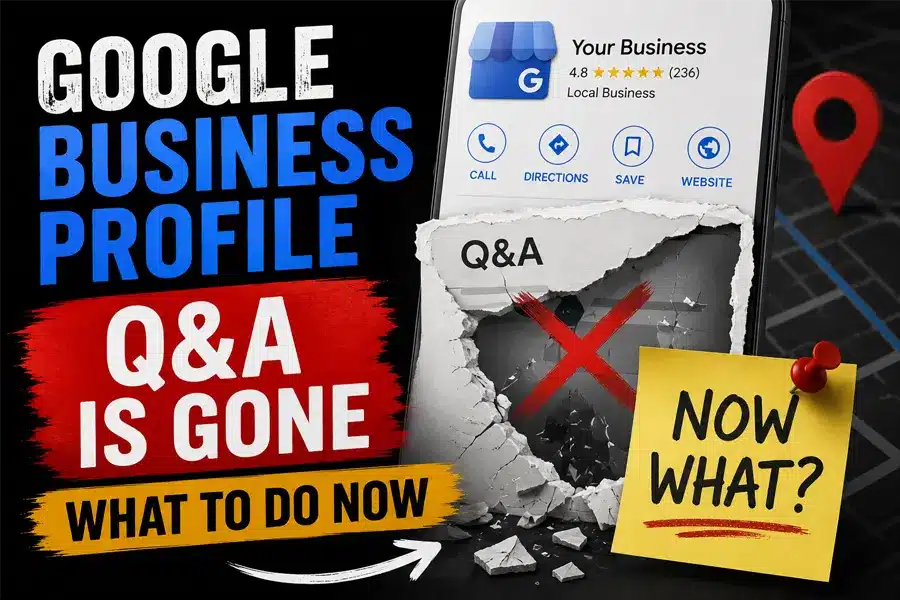
Google removed the public Q&A section from Business Profiles, and it is not coming back. If you search your own business on Google Maps today, the box where customers used to type questions and business owners used to type answers is gone. In its place is an AI tool called Ask Maps that reads your website, your reviews, and your profile, then writes its own answer to whatever a customer asks. That means the Google Business Profile Q&A section you may have used for years to correct wrong assumptions or highlight parking, hours, or payment options no longer exists, and an AI model is now speaking for your business instead.
Here is what actually changed, why it happened, and the specific steps to take this week so the AI answering questions about your business gets them right.
Key Takeaways
- Google discontinued the Google Business Profile Q&A API on November 3, 2025, and began removing the public Q&A section from listings shortly after.
- The replacement, Ask Maps, uses Google’s Gemini AI to generate answers automatically from your website, reviews, and profile data.
- You can no longer manually post an answer the way you used to. Your only real control is making sure the content Ask Maps pulls from is accurate and complete.
- Businesses with thin websites, unanswered reviews, or incomplete profiles are the most likely to get misrepresented by AI generated answers.
- A short content audit this week (website FAQ, reviews, and profile fields) is the fastest way to protect what customers see.
Your Google Business Profile Q&A Section Disappeared, Here Is Why
Google announced on September 17, 2025 that it would shut down the My Business Q&A API, and the API was officially discontinued on November 3, 2025. The public facing Q&A section on individual profiles began deprecation on December 3, 2025, with full removal rolling out gradually over the following one to three months. According to reporting from industry outlet ppc.land, which tracked the rollout closely, Google explained the decision by saying it had heard feedback that the Q&A feature had become harder for customers to use over time, since questions piled up and buried the timely, relevant ones under years of clutter.
In place of the old system, Google built Ask Maps, a Gemini powered tool that answers a customer’s question the moment they ask it. Instead of hoping a past customer or the business owner had already answered a similar question, Ask Maps reads your website content, your Google reviews, and your Business Profile fields in real time and writes a fresh answer on the spot. The Google Business Profile Q&A section is not paused or being redesigned. It is permanently gone, and every question a customer used to type into that box is now being answered by an AI model reading whatever it can find about your business online.
What This Means For Your Business Right Now
For most local business owners, this is not a small cosmetic change. The Google Business Profile Q&A section used to be a place where you had direct, manual control over the exact wording customers saw for common questions like “do you offer free estimates” or “is there parking on site.” That control is gone. Ask Maps now writes those answers itself, and it can only work with the information that already exists about your business. If your website does not clearly state your service area, your reviews do not mention your specialty, or your profile is missing key fields, Ask Maps is far more likely to give a vague, outdated, or simply wrong answer to a paying customer standing at the exact moment they are deciding whether to call you.
This is also part of a bigger shift happening across search. Answer engines like Google’s AI Overviews, Ask Maps, ChatGPT, and Perplexity are all pulling from the same kind of source material: structured website content, review signals, and profile data. Getting that foundation right is the same work our AI search optimization team does for clients preparing for AI Overviews and chatbot citations, and the Google Business Profile Q&A change is one more reason that work cannot wait.
| What Changed | Old Google Business Profile Q&A | New Ask Maps AI |
|---|---|---|
| Who writes the answer | Any Google user, or the business owner directly | Gemini AI, generated automatically |
| Where the answer comes from | Whatever a person chose to type | Your website, reviews, and profile fields |
| Can you edit it directly | Yes, businesses could post answers | No, you can only shape the source content |
| Risk if information is outdated | Old unanswered questions sat visibly | AI may confidently state something wrong |
| Who controls the customer experience | Shared between Google users and the business | Google’s AI, informed by your content |
The Three Sources Ask Maps Actually Reads From
Ask Maps does not guess. It draws from three specific places, and strengthening all three is the closest thing you have to controlling what it says about you now that the manual Google Business Profile Q&A tool is gone.
Your Website
FAQ pages, service pages, and schema markup that clearly answer common customer questions.
Your Reviews
What past customers wrote, and whether you responded with useful, specific detail.
Your GBP Profile
Services, attributes, hours, and description fields filled out completely and accurately.
All three of those sources feed into a single answer that Ask Maps hands to a customer in seconds. Weak content in any one of the three means Ask Maps is working with a gap, and it will fill that gap with its best guess rather than leave the question unanswered.
Your Plan For Controlling What Ask Maps Says About You
You cannot bring back the old Google Business Profile Q&A tool, but you can control the raw material Ask Maps reads before it answers a customer. Here is the order to work through it in.
This week: Pull up your own Business Profile on Google Maps and ask it three or four of the questions customers actually ask you on the phone. Read the answers Ask Maps gives. If anything is vague, outdated, or wrong, you have found your priority list. Cross check that same information against your website. This is also the moment to make sure your site actually has clear, written answers to those exact questions, formatted with FAQPage schema so both Google and AI tools can read them cleanly. Our technical SEO services team builds this kind of structured markup for clients specifically so answer engines have something solid to cite.
Within thirty days: Go through your last twenty Google reviews and respond to every one that mentions a specific detail, whether it is a service, a wait time, or a location quirk. Ask Maps treats review content as a live data source, so an unanswered review with wrong information sitting there for two years is now doing more damage than it used to.
Ongoing: Keep every field in your Google Business Profile current: services, products, attributes, hours, and business description. A profile with gaps is a profile Ask Maps has to guess around. This is exactly the kind of ongoing maintenance our Google Business Profile optimization service handles for clients on a regular schedule, because a one time cleanup does not hold up once your services, hours, or offers change.
Mistakes That Make Ask Maps Get It Wrong
- Assuming silence is neutral. An empty FAQ page or an unanswered review is not a blank slate to Ask Maps. It is missing evidence, and the AI will still generate an answer using whatever partial information it can find elsewhere.
- Copying competitor language. If your website FAQ content is generic and could describe any business in your category, Ask Maps has nothing specific to pull from and may default to broader, less accurate assumptions about you.
- Treating this as a one time fix. Ask Maps re reads your content continuously. A website update, a new service, or a batch of new reviews changes what it says, so this needs to be a habit, not a single afternoon project.
Frequently Asked Questions
-
What happened to the Google Business Profile Q&A section?
Google discontinued the Google Business Profile Q&A API on November 3, 2025, and removed the public Q&A section from individual listings on a rolling basis afterward. It has been replaced by Ask Maps, an AI tool that generates answers automatically instead of relying on manually posted questions and answers.
-
Can I still answer customer questions on my Google Business Profile?
Not through the old Google Business Profile Q&A box, since that feature no longer exists. Your best option now is making sure your website, reviews, and profile fields already contain clear, accurate answers, since that is the content Ask Maps reads before it writes a response to a customer.
-
How do I make sure Ask Maps answers correctly about my business?
Audit your website for a clear FAQ section with structured schema, respond to recent Google reviews with specific detail, and keep every field in your Google Business Profile complete and current. Those three sources are what Ask Maps draws from when it builds an answer.
The Google Business Profile Q&A section is not coming back, but the businesses that treat this as a wake up call to clean up their website, reviews, and profile will come out ahead of competitors who leave gaps for the AI to guess around. If you want a full audit of what Ask Maps and other AI tools currently say about your business, our team can walk through it with you.

Make Sure Ask Maps Gets Your Business Right
FOG Digital Marketing audits your website, reviews, and Google Business Profile so the AI answers customers actually see are accurate, complete, and working in your favor.
Our Blog
Website Design Blogs

Core Web Vitals 2026: Why Slow Sites Are Losing Rankings
Core Web Vitals 2026: Why Slow Sites Are Losing Rankings July 7, 2026 Web Design Table of Contents If your website takes more than 2.5 seconds to show...

ADA Website Compliance: Critical 2026 Alert for Owners
ADA Website Compliance: Critical 2026 Alert for Owners July 6, 2026 Web Design Table of Contents If your website has a broken form field, low-contrast text, or an...

Achieve Success With Expert Web Design In San Antonio
Achieve Success With Expert Web Design In San Antonio November 7, 2024 Web Design San Antonio Web Design Services | Build Your Online Success In our city of...